Step 4: Check the first run
It's worth watching the first run so you know everything is connected. The simplest way is to accept the assignment yourself with a test student account, push a small change, and follow along below. You can also wait for the first student to push.
Where to look
- The run. In the student's repository, open the Actions tab and select the GrillMyCode run. A yellow dot means it is still running. A run usually takes a few minutes.
- The questions. When the run has a green tick, open the Issues tab. An issue called GrillMyCode Questions (main) is pinned at the top, labelled
assessmentand assigned to the student. - The PDF. A download link sits at the top of the issue.
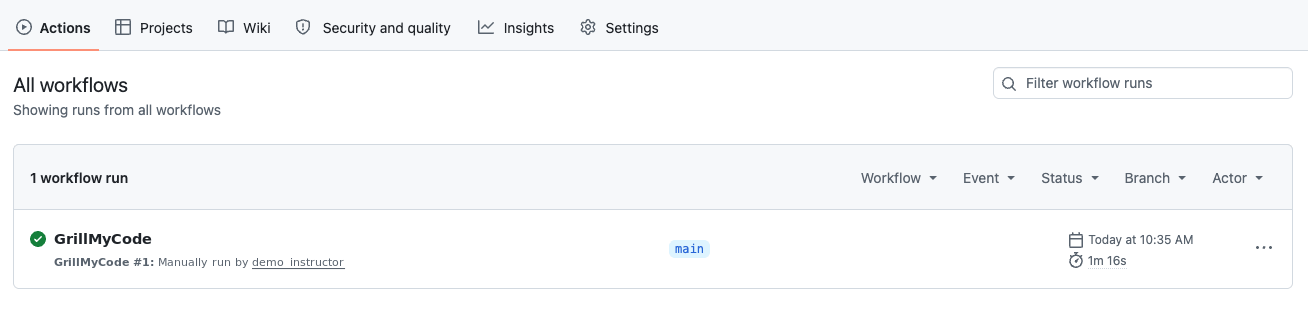
If you see all three, you're done. GrillMyCode is set up for this assignment.
A green tick, but no questions
This is normal straight after a student accepts the assignment. At that point, the repository holds only your starter code and Classroom 50's setup files, which GrillMyCode leaves out, so there is nothing to ask about yet. The run finishes successfully without creating an issue.
Open the run and read the summary at the bottom of the page, which explains why nothing was assessed. The first push with the student's own code produces questions.
If it keeps happening after the student has pushed real work, see Troubleshooting.
A red X
The run stopped with an error. Open the run and select the failed step: the message at the end usually says exactly what is wrong.
On a first run, the most likely cause is the OpenRouter key. If the message says api_key is required, the secret is missing or its name doesn't match the workflow. Check step 1: the secret must be called OPENROUTER_API_KEY and be available to the student repositories.
For anything else, see Troubleshooting.
What's next
- Tailor the questions to your assignment.
- Choose when questions are generated: every push, on submission, or only when you say.
- See what your students see, and what to tell them.
- Keep a private answer key with a ready-made LMS quiz for each student.